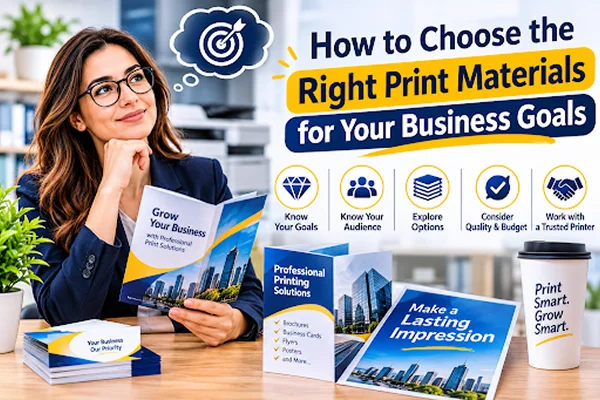
While many people spend hours promoting their business through email, social media, and online advertising, these efforts quite often get scrolled past without even being opened. Print media can be handed over physically and lets people refer back to your materials on multiple occasions. Unlike digital media, well-designed print media stays kept for a long time.
Choosing the Most Suitable Print Media
Depending on what action you want customers to take, various types of print media can be used. AlphaGraphics Charleston, for example, groups print media into sections including leaflets, which work great for sharing quick information, along with booklets and mail cards. Every kind of print media answers different communication needs. Picking the wrong print media wastes money, whereas matching your print media to the exact moment you wish to connect with customers makes sure your message gets acted on easily.
Why Print Media Still Attracts Attention
Compared with print media, digital media must constantly fight for people’s attention since so many alerts pop up every minute. Usually, emails get deleted or moved into an archive right away and often are not even opened, sometimes before the recipient even reads the subject line.
Print media encourages a slower, yet very effective, approach. People can both hold a card or booklet in their hands and look through it closely. This dual method builds stronger brand recognition and helps people remember you longer.
Areas For Which Print Media Is Particularly Suitable
- Face-to-face and social interaction: People can use a card or booklet to easily reconnect with you at a later date.
- Within the local community: Because mailboxes in local neighbourhoods are generally less crowded than email inboxes, mail postcards get noticed quickly.
- Providing in-depth information: Booklets allow customers to read through options at their own pace without having to switch between browser tabs.
- Exhibitions and conferences: Flyers, banners, and leaflets can all be carried back inside people’s bags for future reference.
Step 1 – Determine Appropriate Print Media
Knowing the main job of your print media is important before deciding on paper types and colour schemes. Again, different print media fits different stages of the customer journey.
Think about how much free time those engaging with your print media have and where they will likely see it. People in a rush, for example, need short details when walking past a stall. On the other hand, corporate clients checking a quotation require well-structured information.
Popular Print Media And Associated Function
- Business cards: Excellent for first contact, social situations, and giving out contact details.
- Postcards: Great for local advertising, booking reminders, special offers, and sending brief messages without needing an envelope.
- Leaflets: Suitable for promoting specific events, showing pricing details, displaying menus, and handing out at stalls or notice boards.
- Booklets and books: Ideal for sharing detailed information covering a range of services, processes, products, or company background.
- Letterhead and folders: Good for presenting formal quotations, contracts, onboarding details, and client proposals.
- Stickers, labels, and decals: Helpful for labelling goods, packaging, machinery, and shop window displays to show your brand.
Step 2 – Design With Easy Navigation In Mind
Too much information very often gets squeezed onto one page, causing people to feel overwhelmed and set the print media down.
Good print designs leave plenty of open ‘negative space’ around key spots like headings, images, and contact details. This smoothly leads a person’s eyes from the main heading toward the next area of interest.
Basic Print Design Guidance
- Include one heading: State clearly, ideally in seven words or less, the main benefit of your product or service right at the top of the page.
- Divide information into bite-sized sections: Keep paragraphs around two or three sentences and highlight key points using bullet points.
- Employ two fonts: For headers, pick a bold and easy-to-read font, then pair this with another simple font for body text.
- Ensure that contact information is prominent: Clearly show your telephone number, web address, street address, or QR code.
Step 3 – Choose Suitable Paper And Surface Treatment
Both the thickness and texture of paper shape its look and how long it lasts. While lightweight paper works completely fine for event leaflets, denser paper is needed for items like client proposals and menus so they do not bend or crease easily.
Furthermore, paper texture changes how the piece works in daily use. Glossy paper boosts the brightness and sharpness of photos, while matte or non-gloss paper feels more tactile and allows writing with a pen.
Paper And Surface Treatment Guidance
- Non-gloss or matte paper: Ideal for appointment cards, forms, letterhead, and print media where notes need to be written.
- Glossy surface: Good for postcards, leaflets, and colourful print media containing lots of images.
- Thick card: Perfect for business cards, rack cards, event invitations, and table tents since it is strong and stands upright easily.
- Saddle-stitch or coil-bound books: Great for tidily allowing easy navigation across multi-page documents such as instruction manuals and catalogues.
Step 4 – Assess Digital Files
Printing troubles frequently happen because digital files get built with screen viewing in mind. Doing a basic check of your digital files makes sure your print media does not come out wrong, such as showing blurry graphics or shifted fonts. It also stops unwanted light-coloured borders from appearing on finished prints.
Although specialist design knowledge is not needed, checking your digital files lets you spot and avoid common errors. Doing this check early saves you from reprinting and last-minute stress.
Key Digital File Analysis Points To Consider
- Image quality: Make sure images and logos sit at 300dpi so they print sharply on paper.
- Colour format: Convert digital files into the CMYK colour format so colours look just as expected in print.
- Bleed: Extend background images or graphics 0.125 inch past the cut line so no light-coloured borders show up after trimming.
- Safety margin: Keep all text and logos at least 0.125 inch inside the cut line so nothing gets sliced off.
- Proof-reading: Print an initial copy of your print media on a regular office printer so you can check spelling, telephone numbers, and text size properly.
Step 5 – Analyse Engagement With Print Media
Even better results can come from print media when you add simple tracking methods. For instance, adding a specific telephone extension, web address, or QR code lets you see which leaflets or postcards bring real customer enquiries.
Start by testing your print media with a small quantity whenever trying a new promotion or mailing list. After seeing which heading and print media type bring the strongest engagement, you can confidently print larger runs.
Simple Methods For Analysing Engagement With Print Media
- Insert a unique QR code linking to a specific web page or booking system.
- Include a short promotional code or key phrase for telephone and in-store enquirers.
- Ask every new customer how they first heard about your business and write down this information.
Combining Print And Digital Marketing
High-performing businesses typically do not pick between digital and print media; instead, they bring both together so one consistent message gets shared everywhere. For example, postcards can bring web traffic, brochures can back up sales calls, and branded folders can turn basic quotations into professionally presented documents.
By checking which print media fits your goals best and then keeping designs simple, reviewing digital files, and tracking engagement, all of your print media can work together to move your business forward.